 Skip to content
Internet Cable vs Fiber: What’s the Difference and Which Is Better?
- andy
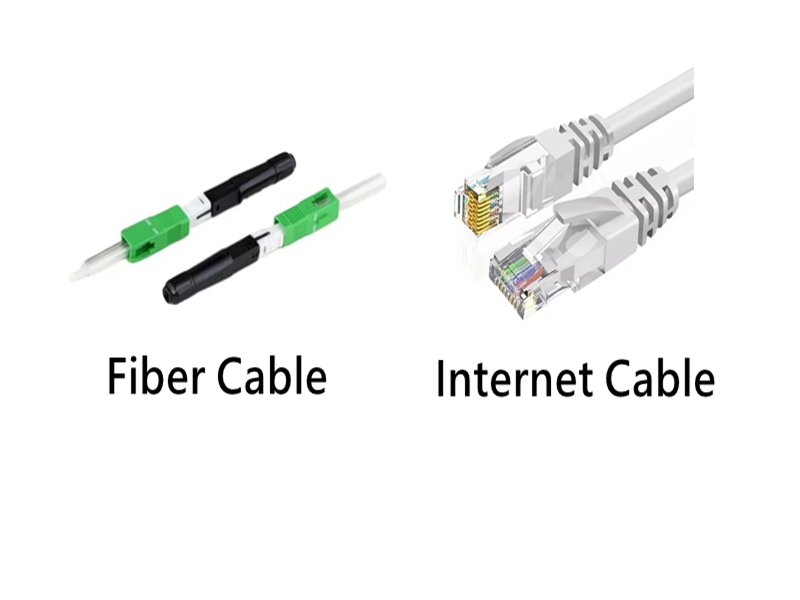
Choosing the right type of cable for an internet connection has become increasingly important as networks evolve. A decade ago, most people simply relied on standard Ethernet cables for home or office connectivity. Today, the situation is different. Higher internet speeds, data-heavy cloud applications, smart IoT devices, and large-scale enterprise networks have created new performance demands that copper cables no longer always meet. Fiber optic cables have emerged as a powerful alternative—faster, more reliable, and far better suited for long-distance and high-bandwidth networks.
Yet the choice between internet cable (Ethernet) and fiber optic cable remains confusing for many users. Should you upgrade to fiber? Is copper still good enough? Does fiber actually perform better in real-world environments, or is it only faster on paper? Understanding the differences helps you avoid unnecessary upgrade costs and build a network that matches your actual needs.
The core difference is this: Internet cables (Ethernet) transmit electrical signals through copper conductors, while fiber optic cables transmit light through glass strands. Fiber offers higher speed, lower latency, and superior long-distance performance. Ethernet is cheaper, easier to install, and ideal for short-range connections or PoE devices. The best choice depends on your speed requirements, distance, and installation environment.
One Sino-Conn client, a warehouse with hundreds of handheld scanners and cloud-based software, suffered constant connection drops. They spent months troubleshooting access points and routers—until we discovered the real issue: hundreds of meters of aging Cat5e cabling running far beyond its supported distance. Once they switched to a fiber backbone with Cat6a drops, their network performance doubled, and downtime disappeared. The cable—not the router—was the bottleneck.
Let’s explore how Ethernet and fiber differ in speed, reliability, cost, environmental performance, and the real-world scenarios where each excels.
What Are Internet Cables and Fiber Cables?
Internet cables (Ethernet) use copper to transmit electrical data signals, while fiber uses light transmitted through glass strands. Ethernet is best for short runs, PoE devices, and low-cost networks. Fiber is superior for long distances, higher bandwidth, and environments with interference.
Both Ethernet and fiber play essential roles in modern networking, but their internal technologies and performance capabilities differ significantly.
What Is an Ethernet Cable?
Ethernet cables consist of four twisted copper pairs that carry electrical signals. Common types include Cat5e, Cat6, Cat6a, Cat7, and Cat8, each offering higher bandwidth and improved shielding. Ethernet cables typically support:
- Up to 1–10 Gbps (Cat5e–Cat6a)
- 25–40 Gbps (Cat8, short-distance)
- Maximum 100 meters per run
- Power over Ethernet (PoE) support
Ethernet is widely used in homes, offices, industrial equipment, and IoT devices.
What Is a Fiber Optic Cable?
Fiber cables transmit data using laser or LED light through thin strands of glass or plastic. There are two main types:
- Multimode fiber (OM3/OM4/OM5): high bandwidth over 100–300 meters
- Single-mode fiber (OS2): extremely long-distance (10–40+ km)

Fiber supports:
- 10G, 40G, 100G, 400G, and more
- Ultra-low latency
- Zero electromagnetic interference (EMI)
- High performance in harsh environments
Ethernet vs Fiber Transmission
| Feature | Ethernet (Copper) | Fiber Optic (Glass) |
|---|---|---|
| Transmission Type | Electrical signals | Light signals |
| Max Distance | 100 m | 300 m – 40+ km |
| EMI Sensitivity | High | None |
| Typical Speeds | 1–10 Gbps | 10G–100G+ |
| PoE Support | Yes | No |
| Installation Complexity | Easy | Moderate–High |
Which Cable Type Delivers Faster Speed?
Fiber delivers faster speeds because light moves through glass with less resistance and distortion than electrical signals in copper. Ethernet tops out at 10–40 Gbps, while fiber easily supports 40G–400G and beyond, especially across long distances.
Bandwidth and Distance Comparison
Speed performance varies by cable type:
Ethernet Speed Range
- Cat5e: 1 Gbps
- Cat6: 1–10 Gbps
- Cat6a: 10 Gbps
- Cat7/7a: 10–40 Gbps
- Cat8: 25–40 Gbps (≤30 meters)
Fiber Speed Range
- Multimode: 10G–100G (up to 300 m)
- Single-mode: 100G–400G (10–40 km)
Latency and Stability
Fiber’s optical transmission significantly reduces latency. This matters in:
- Financial trading systems
- AI/ML compute clusters
- VR/AR environments
- Cloud and data center workloads
Speed & Distance Table
| Cable Type | Max Speed | Max Distance | Best For |
|---|---|---|---|
| Cat5e | 1 Gbps | 100 m | Homes, offices |
| Cat6 | 1–10 Gbps | 55–100 m | Business networks |
| Cat6a | 10 Gbps | 100 m | Enterprise |
| Cat8 | 25–40 Gbps | 30 m | Data centers |
| Multimode Fiber | 10–100 Gbps | 100–300 m | Server rooms |
| Single-mode Fiber | 100–400 Gbps | 10–40+ km | Telecom, campuses |
Fiber is the clear winner for high-speed or long-distance requirements.
How Do They Perform in Real-World Applications?
Ethernet excels in short-range, low-cost environments; fiber dominates long-distance, high-performance, or EMI-heavy environments.
Homes and Workplaces
Ethernet is typically sufficient for:
- PCs, printers, and VoIP phones
- Wi-Fi access points
- Smart home devices
- Standard office workloads
Cat6/Cat6a handles most internet speeds comfortably.
Industrial and Manufacturing
Factories have:
- High EMI
- Large distances
- Harsh conditions
Fiber performs far better because it is immune to interference, moisture, and temperature fluctuations.
Telecom, Data Centers, and Campuses
Fiber offers:
- Higher density
- Lower latency
- Longer runs between switches
It is the backbone of modern cloud and ISP networks.
Does Rain Affect Fiber Internet?
Fiber does not lose signal quality in the rain.
Since fiber carries light, not electricity:
- Moisture does not cause interference
- No signal degradation in wet conditions
- No risk of short circuits
Only physical damage (e.g., flooding breaking cabinets) can affect service.
Fiber is more weather-resistant than copper in almost every scenario.
Which Is More Reliable and Durable?
Fiber is more reliable over long distances and in harsh environments, while Ethernet is more flexible and rugged for short indoor networks.
Reliability Comparison
| Factor | Ethernet | Fiber |
|---|---|---|
| EMI Resistance | Low | High |
| Distance Reliability | Medium | Excellent |
| Temperature Sensitivity | Higher | Low |
| Long-Term Stability | Medium | High |
Mechanical Durability
- Ethernet cables withstand pulling, bending, and tight installations
- Fiber requires careful handling but newer armored or bend-insensitive types are very robust
Maintenance
- Ethernet may suffer oxidation or EMI issues
- Fiber requires less long-term maintenance once properly installed
What Are the Cost Differences?
Ethernet is cheaper upfront; fiber is more cost-effective for long-distance or high-speed networks.
Cost Comparison Table
| Cost Factor | Ethernet | Fiber |
|---|---|---|
| Cable Price | Low | Medium |
| Installation Tools | Simple | Specialized |
| Labor Cost | Low | Higher |
| Max Distance | 100 m | 300 m – 40+ km |
| Upgrade Path | Limited | Excellent |
Ethernet wins in short-term cost.
Fiber wins in long-term value.
Which Cable Should You Choose for Your Application?
Use Ethernet for short-range and PoE devices; use fiber for long-distance and high-performance networks; use a hybrid design for the best balance.
When to Choose Ethernet
- Home or office devices
- Cable runs <100 meters
- PoE cameras, access points
- Budget-limited projects

When to Choose Fiber
- Building-to-building links
- Data centers and telecom
- Industrial EMI environments
- 10G–100G applications
When to Choose Hybrid
- Fiber backbone + Ethernet drops
- Common in campuses, hotels, hospitals, factories
Conclusion
Ethernet and fiber both play essential roles in today’s connectivity landscape. Ethernet remains the simplest and most cost-effective solution for local device connections, especially where PoE is required. Fiber, however, is unmatched in speed, latency, distance, and reliability—and it is rapidly becoming the standard for modern backbones, enterprise networks, industrial facilities, and telecom systems.
The key is choosing the right cable for the right environment. For many networks, the ideal solution is a hybrid approach: fiber for high-speed backbones and Ethernet for endpoint connectivity.
In all cases, the quality of the cable assembly—shielding, impedance control, connector precision, jacket materials, and EMI performance—greatly influences real-world performance.
Why Work With Sino-Conn for Ethernet & Fiber Assemblies?
Sino-Conn supports OEMs, engineers, and integrators with:
- Custom Ethernet & fiber cable assemblies
- No MOQ — even 1 piece
- Fast drawings (30 minutes–3 hours)
- Samples in 2–3 days
- Mass production in 2 weeks
- UL, ISO, RoHS, REACH, PFAS certifications
- Original or equivalent connectors available
- 3× full inspection process
- Custom shielding, jackets, OD, EMI protection

Whether you need Cat6a harnesses, armored fiber jumpers, MPO/MTP assemblies, outdoor fiber, industrial Ethernet, or hybrid copper–fiber solutions, Sino-Conn can design and manufacture assemblies tailored to your performance, distance, and environmental requirements.
Contact Sino-Conn today for drawings, custom solutions, or a quick quote.
Related Keywords :Ethernet cable, Fiber optic cable, Internet cable vs fiber, Fiber internet, Ethernet vs fiber, Network cabling, Copper vs fiber, Cat6 cable, High-speed internet, Custom cable assemblies

With over 18 years of OEM/ODM cable assemblies industry experience, I would be happy to share with you the valuable knowledge related to cable assemblies products from the perspective of a leading supplier in China.
manufacturer catalogue
Get A Sample Now From Factory→
Get a quote quickly
Here, developing your OEM/ODM custom cable assemblies collection is no longer a challenge—it’s an excellent opportunity to bring your creative vision to life.



