 Skip to content
What Are the Different Types of Micro USB Cables? A Complete Guide
- andy
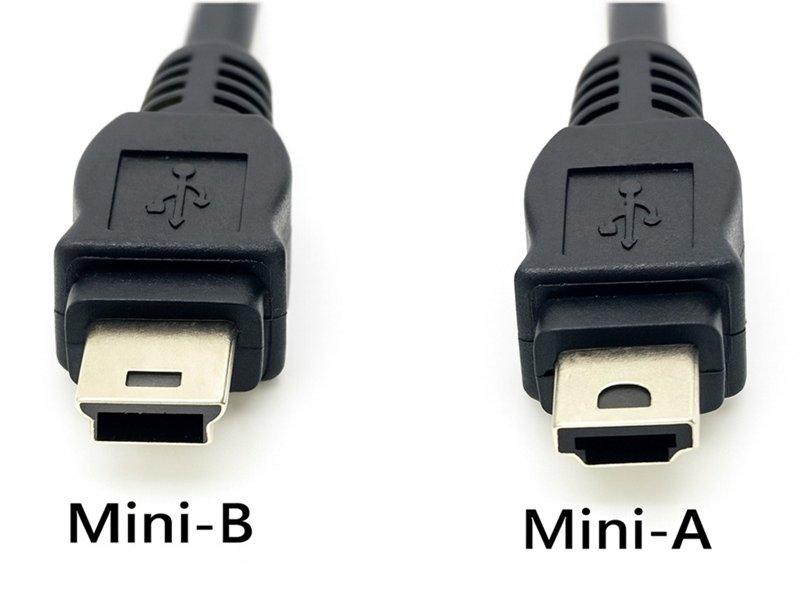
Choosing a Micro USB cable seems simple—until you realize there are multiple connector types, different charging speeds, various wire gauges, and compatibility differences across devices. Whether you’re replacing a phone charger, designing a medical device, or specifying cables for an OEM assembly line, understanding Micro USB cable types is crucial. Many customers come to Sino-Conn with only a picture of a port or a broken cable, asking: “Which Micro USB cable is this?” or “Why does one cable charge slower than another?”
There are several different types of Micro USB cables, including Micro USB Type-A, Type-B, Type-AB, and Micro USB 3.0. Each type differs in connector shape, pin configuration, data speed, and compatibility. Micro USB is smaller and more durable than Mini USB, but many legacy devices still rely on Mini USB. Choosing the correct cable requires identifying your device port and the cable’s specifications such as AWG, shielding, and intended use.
One engineer once told us he bought five identical-looking cables online—yet only one could transfer data. Stories like this highlight how misunderstood cable specifications truly are. Let’s break it down clearly and practically, from an engineer-friendly perspective.
What Is a Micro USB Cable?
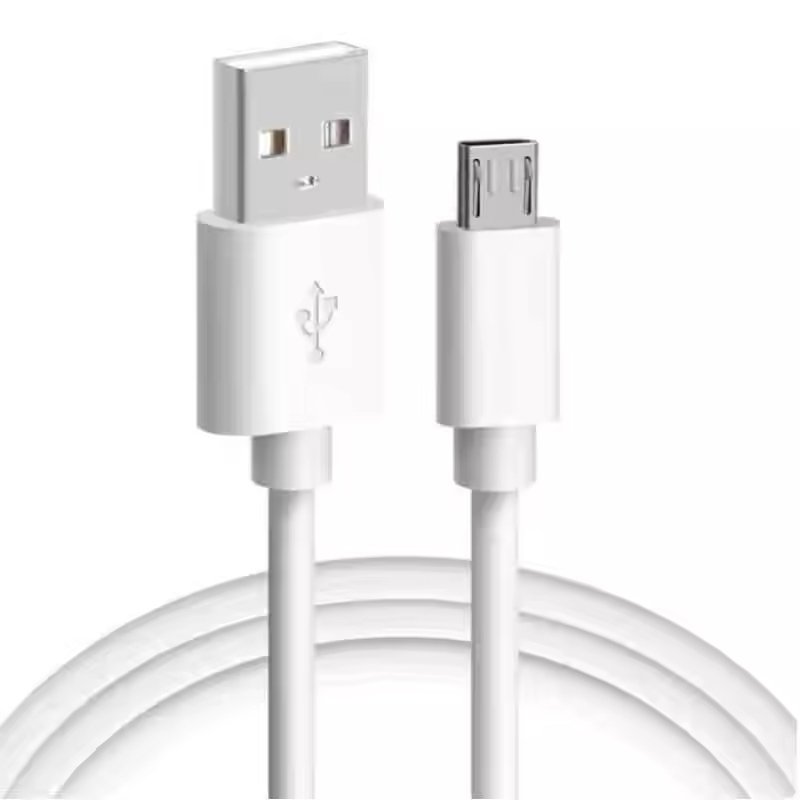
A Micro USB cable is a compact 5-pin USB connector designed for smartphones, handheld electronics, industrial devices, and embedded systems. It supports charging, data transfer, and OTG functions depending on cable wiring and device compatibility.
Understanding Micro USB in Modern & Legacy Devices
Micro USB was introduced as a smaller, more durable alternative to Mini USB. Its compact footprint and lifecycle rating made it suitable for portable electronics long before USB-C became mainstream. Despite the rise of USB-C, Micro USB remains widely used in industrial sensors, barcode scanners, medical handheld devices, POS systems, routers, IoT modules, and low-power embedded equipment.
Many customers assume “a Micro USB cable is just a charging cable,” but the reality is more nuanced. Cable internal structure—including conductor gauge (AWG), shielding, and pin mapping—determines how effectively it can deliver power or transfer data. Two Micro USB cables may look identical externally but perform completely differently.
For engineers, Micro USB remains valuable because of its long product lifecycle. USB-C is more capable, but its rapid evolution creates uncertainty in certification, component cost, and long-term availability. Micro USB, in contrast, has stable specifications and predictable supply chains. This is why machine manufacturers and medical device engineers still choose Micro USB for long-term production.
Trade buyers often send Sino-Conn only a device image or partial model number. Because Micro USB connectors can appear similar, the correct identification depends on recognizing the exact connector subtype—which we will explain next.
Micro USB Connector Structure
A Micro USB connector uses a slim 5-pin interface. The internal tongue is recessed and protected, improving durability compared to standard USB-A. The wiring includes power (VBUS), ground, USB D+/D– data lines, and an ID pin for OTG functions.
What Makes Micro USB Different From Standard USB?
Micro USB is physically smaller, supports OTG, and is rated for significantly more insertion cycles than USB-A or Mini USB. It was optimized for portable devices and embedded circuits requiring minimal space and cost.
Are There Different Types of Micro USB Cables?
Yes. Micro USB has several connector variations—including Micro USB Type-A, Type-B, Type-AB, and Micro USB 3.0—each built for different devices and data speeds. Some support OTG, some don’t, and Micro USB 3.0 adds extra pins.
What Are the Main Types of Micro USB Connectors?
The main Micro USB connector types are Micro USB Type-A, Type-B, Type-AB, and Micro USB 3.0. They differ in shape, pin layout, and compatibility with various devices.
Micro USB Type-B is the most common, widely used in smartphones, cameras, radios, and handheld instruments. Type-A and Type-AB are less common but appear in some embedded boards and OTG host devices. Micro USB 3.0 Micro-B is recognizable by its double-wide connector used primarily on external hard drives and high-speed peripherals.
Many engineers mistakenly assume any Micro USB cable works for any device. However, a Type-A Micro USB plug cannot fit a Type-B port. Likewise, Micro USB 3.0 cables are required for certain high-speed devices but remain backward compatible with slower ports.
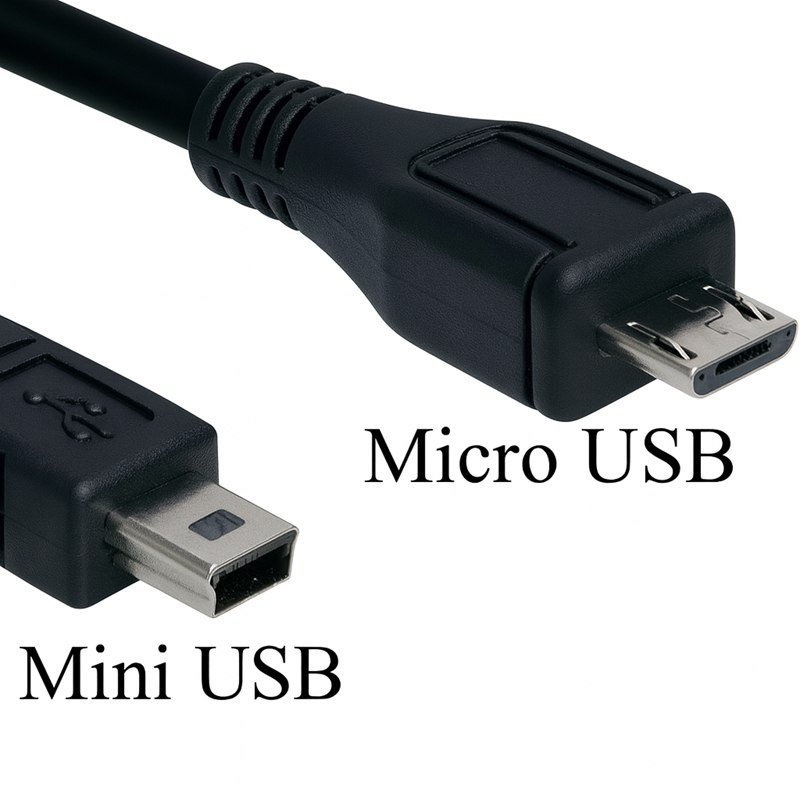
Another frequent point of confusion is Mini USB vs Micro USB. Both serve similar purposes, but Mini USB is older and larger. Some legacy industrial systems still use Mini USB because of their mechanical robustness and wide earlier adoption. Understanding these differences helps avoid compatibility issues.
Micro USB Connector Comparison Table
| Connector Type | Appearance | Pin Count | Typical Devices | Notes |
|---|---|---|---|---|
| Micro USB Type-A | Rectangular, flat | 5 | OTG host devices, embedded boards | Rare today; supports OTG host mode |
| Micro USB Type-B | Trapezoidal shape | 5 | Phones, cameras, tools, consumer electronics | Most common Micro USB connector |
| Micro USB Type-AB | Hybrid port | 5 | OTG-capable devices | Accepts both Micro-A and Micro-B plugs |
| Micro USB 3.0 Micro-B | Double-wide connector | 10 | External HDDs, high-speed instruments | Backward compatible with Micro-B |
Micro USB Type-A
A rectangular, flat connector found mostly on OTG host devices. Rare in modern products but still used in embedded systems.
Micro USB Type-B
The most common Micro USB connector with a trapezoidal profile. Used for phones, cameras, tools, and general electronics.
Micro USB Type-AB
A hybrid port supporting both Micro-A and Micro-B plugs, typically in OTG-capable devices. Less common today.
Micro USB 3.0 Micro-B
A widened dual-part connector enabling high-speed 5Gbps transfer. Used in external HDDs, industrial sensors, and high-throughput equipment.
What Is the Difference Between Mini USB and Micro USB?
Mini USB is larger, mechanically stronger, and used mainly on older or rugged devices. Micro USB is smaller, more efficient, and supports OTG, making it ideal for modern portable electronics.
To make the comparison clearer, here is an at-a-glance table that highlights the structural and functional differences between the two connector types:
Mini USB vs Micro USB Comparison Table
| Feature | Mini USB | Micro USB |
|---|---|---|
| Size | Larger and thicker | Smaller and slimmer |
| Durability | Good mechanical strength | Higher insertion-cycle lifespan |
| OTG Support | Limited or device-dependent | Full OTG support |
| Common Use Cases | Older cameras, GPS units, industrial devices | Phones, IoT modules, sensors, medical handhelds |
| Lifespan in Market | Declining; used in legacy devices | Still widely used and supported |
| Connector Strength | Stronger physical housing | More compact, optimized for lightweight electronics |
Mini USB was widely used in early 2000s consumer electronics and ruggedized industrial gear because of its robust structure. Micro USB replaced it by offering better durability, a smaller footprint, and additional functionality like OTG, making it the preferred standard for modern portable and embedded devices.
Which Micro USB Cable Type Do You Need?
You need a specific Micro USB cable type based on your device port, required speed, and whether you need charging only or full data transfer.
Selecting the right Micro USB cable starts with identifying your device’s port. OEM customers often send Sino-Conn a device photo, not realizing that Micro-A, Micro-B, and Micro-B 3.0 differ subtly. The next step is determining whether you require a charging cable, a data cable, or an OTG-specific configuration.
Charging-only cables often use thicker power conductors (e.g., 24AWG or 22AWG) but may omit data lines entirely. Data cables require all four or five pins, depending on whether OTG is supported. Engineers must consider voltage drop along the cable, especially for long lengths or high-current applications.
Industrial devices often require oil-resistant, heat-resistant, UV-resistant, or halogen-free materials. For moving equipment or handheld tools, a high-flex jacket such as TPE or PUR may be necessary. Sino-Conn frequently assists OEM clients in selecting AWG size, OD, EMI shielding, and overmold structure.
What Are the Technical Differences Between Micro USB Cables?
Micro USB cables differ in conductor size, shielding type, materials, durability, and data/charging performance. These factors significantly influence stability and lifespan.
Technical differences drastically affect performance. Conductor gauge determines how much current can pass without overheating. A 28/28 AWG cable may deliver only slow charging, while a 24/28 or 22/28 design supports fast charging. Shielding—foil, braid, or combination—protects data signals from EMI, which is essential in industrial environments.
Below is a comparison table:
Cable Gauge vs Charging Performance
| Cable Gauge | Typical Use | Charging Speed |
|---|---|---|
| 28/28 AWG | Data cables | Slow (0.5–1A) |
| 24/28 AWG | Phone chargers | Medium (1.5–2A) |
| 22/28 AWG | High-current devices | Fast (2A–2.4A) |
Similarly, cable jacket material impacts flexibility, temperature tolerance, and durability. PVC is cost-effective, TPE offers flexibility, and PUR provides chemical and abrasion resistance.
Micro USB 3.0 cables add additional data pairs, enabling higher transfer speeds but increasing cost. For high-vibration or harsh environments, overmolded designs are preferred to ensure strain relief and connector longevity.
Are All Micro USB Cables the Same?
No. Micro USB cables vary in power delivery, data capability, durability, materials, and internal construction—even when they look identical.
Two Micro USB cables may appear identical yet behave differently due to internal wiring. Some only support power, not data. Others include poor shielding, causing noisy data lines. Cheaper cables may use steel wire instead of copper, leading to heating and voltage drops.
Connector quality also varies. Some low-cost plugs deform easily or have loose tolerances, causing intermittent charging. Sino-Conn ensures high-precision connectors with strict QC, especially for OEM and medical applications.
Durability is another concern. High-cycle environments require reinforced overmolds, thicker strain reliefs, and flexible jackets. A cable used in industrial robotics needs different specifications than a consumer charger.
How to Choose the Right Micro USB Cable for Your Application?
Choose based on device port, required current, data needs, durability, shielding, and environmental resistance.
Engineers should verify pin definitions, mechanical tolerances, and required standards. OEM buyers should evaluate lead time, connector sourcing, and material options. Trade buyers must identify connector type correctly to avoid mismatches.
Custom features include:
- Special lengths (5cm to 10m)
- Overmolded connectors
- High-flex or high-temp jackets
- Halogen-free, flame-retardant, or oil-resistant materials
- Unique pinouts for embedded systems
Sino-Conn provides drawings within 30 minutes to 3 days, 2–3 day samples, and 2-week mass production.
Custom Micro USB Cable Assemblies by Sino-Conn
Sino-Conn provides custom Micro USB cables with tailored pinouts, overmolds, materials, shielding levels, and connector options for industrial, medical, and OEM devices.
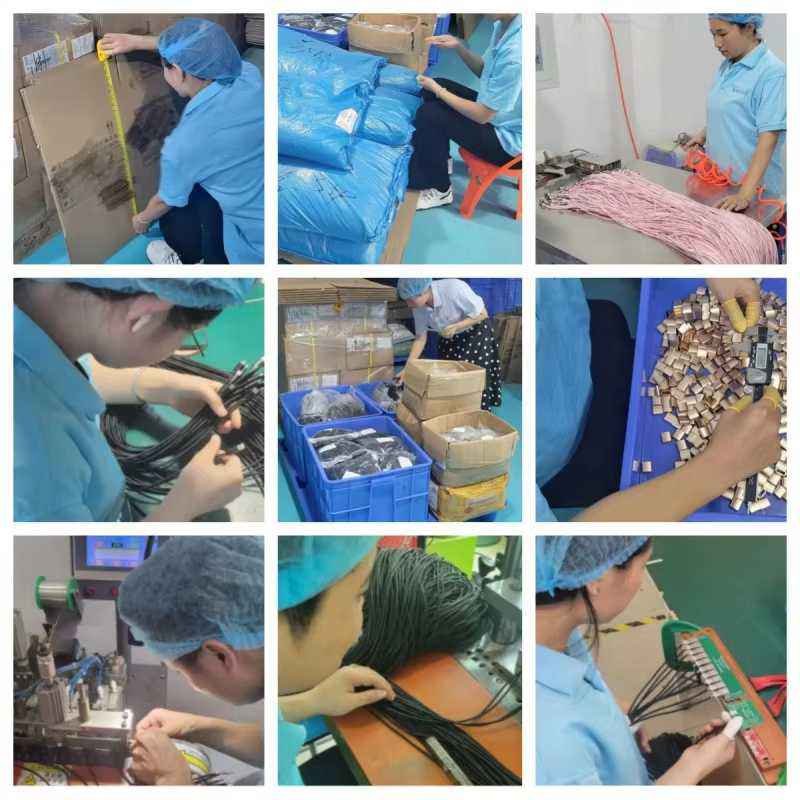
We support original and cost-effective connectors, produce detailed CAD drawings for confirmation, and ensure consistent quality with 100% inspection. Whether you need high-flex, low-OD, reinforced, or environmental-resistant designs, our team delivers durable and reliable solutions.
Final Summary: Custom Solutions for Your Application
Choosing the right Micro USB cable requires understanding connector types, technical specifications, and the environment in which the cable will be used. When off-the-shelf cables do not meet your requirements—whether due to length, durability, material, or pinout—custom assemblies ensure proper performance.
If you need a customized Micro USB cable for industrial, medical, consumer, or OEM applications, Sino-Conn can review your requirements and provide drawings, samples, and production options tailored to your project. Feel free to share your specifications or a connector image, and we will assist you with the correct solution.
Related Keywords :micro usb types, micro usb cable, micro usb vs mini usb, usb cable specs, micro usb connectors, custom usb cable, usb sielding, oem usb cable, sino-conn cable, usb wiring

With over 18 years of OEM/ODM cable assemblies industry experience, I would be happy to share with you the valuable knowledge related to cable assemblies products from the perspective of a leading supplier in China.
manufacturer catalogue
Get A Sample Now From Factory→
Get a quote quickly
Here, developing your OEM/ODM custom cable assemblies collection is no longer a challenge—it’s an excellent opportunity to bring your creative vision to life.



